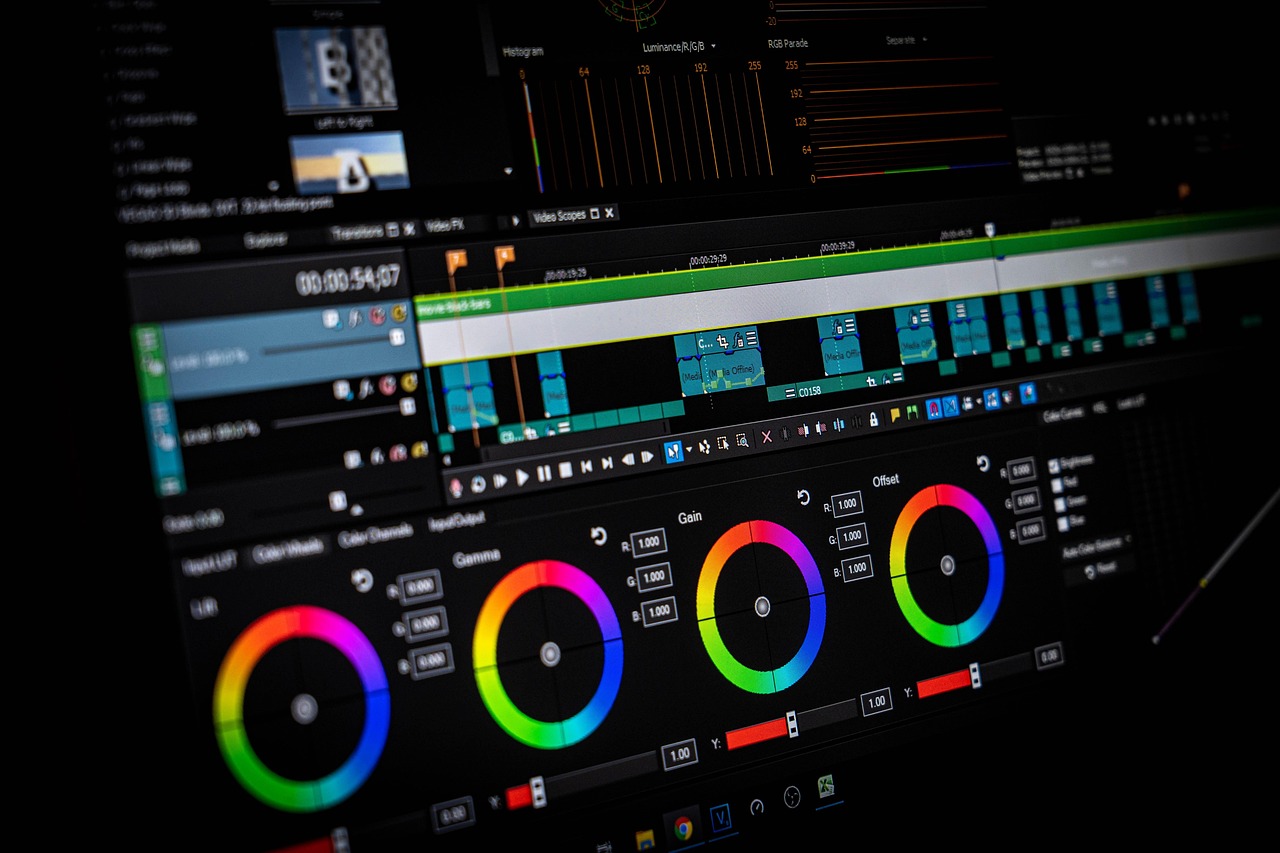
Did you know that over 80% of businesses use video as a key marketing tool, with 95% of viewers retaining information better when it’s presented in a video format? Yet, many beginners are intimidated by the idea of video editing, thinking it requires expensive software or years of experience. Don’t worry if this sounds confusing at first – I’m here to guide you through the process. With the right tools and a bit of practice, you can create stunning videos that engage your audience and help you stand out from the crowd.
Understanding Video Editing Basics
Before we dive into the best video editing tools for beginners, let’s cover some basics. Video editing is essentially the process of taking raw footage and turning it into a polished, engaging video. This involves tasks like trimming clips, adding transitions, and adjusting audio levels. Think of video editing like cooking a meal – you start with ingredients, follow a recipe, and end up with a delicious dish. In this case, your ingredients are video clips, and your recipe is the editing process.
Don’t worry if you have no experience with video editing – it’s easier to learn than you think. Many video editing tools are designed specifically for beginners, with user-friendly interfaces and intuitive controls. I’ve found that starting with short, simple projects is a great way to build confidence and develop your skills. For example, try editing a short video clip from your smartphone or creating a slideshow with music and transitions.
As you get more comfortable with video editing, you can start to experiment with more advanced techniques. This might include color correction, green screen effects, or multi-camera editing. The key is to take it one step at a time and not be afraid to try new things. Remember, video editing is a skill that takes practice to develop, so don’t get discouraged if your first attempts don’t turn out perfectly.
Popular Video Editing Software for Beginners
So, what are the best video editing tools for beginners? Let's start with some popular software options. I’ve used a range of programs, from free, open-source tools like Shotcut and Lightworks to paid software like Adobe Premiere Pro and Final Cut Pro. Each has its strengths and weaknesses, but all can produce high-quality videos with a bit of practice.
For example, Shotcut is a great option for beginners because it’s free, easy to use, and available for Windows, Mac, and Linux. It supports a wide range of file formats and has a simple, intuitive interface that makes it easy to get started. On the other hand, Adobe Premiere Pro is a more advanced tool that’s widely used in the film and television industry. It offers a free trial, but requires a subscription for ongoing use.
Another option is DaVinci Resolve, which is a free video editing tool that's also used by professionals. It’s known for its advanced color correction and audio editing features, but also has a user-friendly interface that’s easy to learn. I’ve found that DaVinci Resolve is a great choice for beginners who want to create high-quality videos without breaking the bank.
Video Editing Apps for Mobile Devices
These days, many of us are using our smartphones to create and edit videos. There are some fantastic video editing apps available for mobile devices, from simple tools like iMovie and Adobe Premiere Clip to more advanced options like PowerDirector and Filmic Pro.
iMovie is a great option for beginners because it’s free, easy to use, and comes pre-installed on many Apple devices. It allows you to create stunning videos with transitions, music, and effects, and even supports 4K resolution. Adobe Premiere Clip is another popular option that’s designed specifically for mobile devices. It offers a range of templates and presets, as well as advanced features like color correction and audio ducking.
PowerDirector is a more advanced video editing app that’s available for both Android and iOS devices. It offers a range of features, including 360-degree video editing, color correction, and audio editing. It’s a bit more expensive than some other options, but offers a lot of value for the price. Filmic Pro is another high-end option that’s designed specifically for filmmakers and videographers. It offers advanced features like manual focus, exposure control, and audio monitoring.
Free Video Editing Tools and Resources
One of the biggest myths about video editing is that you need to spend a lot of money on software and equipment. While it’s true that some video editing tools can be expensive, there are also many free resources available. For example, Shotcut and Lightworks are both free, open-source video editing tools that offer many of the same features as paid software.
There are also many free video editing tutorials and courses available online. Websites like YouTube, Udemy, and Skillshare offer a wide range of video editing courses, from beginner to advanced levels. I’ve found that these resources are a great way to learn new skills and stay up-to-date with the latest video editing trends and techniques.
In addition to free software and tutorials, there are also many free video editing resources available, such as templates, presets, and stock footage. Websites like Videvo and Pexels offer a wide range of free stock footage and music, while Template.net offers a range of free video editing templates. These resources can be a great way to add a professional touch to your videos without breaking the bank.
Common Video Editing Mistakes to Avoid
As a beginner, it’s easy to make mistakes when it comes to video editing. One common mistake is to overuse transitions and effects, which can make your video look cheesy or amateurish. Instead, try to use transitions and effects sparingly, and focus on creating a clear, concise narrative.
Another common mistake is to neglect audio editing. Good audio is just as important as good video, and can make a big difference in the overall quality of your video. Try to use high-quality microphones and headphones, and pay attention to audio levels and noise reduction.
Finally, don’t be afraid to experiment and try new things. Video editing is a process that takes time and practice to develop, and it’s okay to make mistakes along the way. The key is to learn from your mistakes and keep moving forward, always looking for ways to improve your skills and create better videos.
Color Correction and Grading for Beginners
Color correction and grading are two important aspects of video editing that can make a big difference in the overall look and feel of your video. Color correction involves adjusting the brightness, contrast, and color balance of your video to create a natural, consistent look. Color grading, on the other hand, involves adding a creative, stylistic touch to your video through the use of color.
As a beginner, it can be intimidating to learn about color correction and grading, but don’t worry – it’s easier than you think. Many video editing tools, including DaVinci Resolve and Adobe Premiere Pro, offer built-in color correction and grading tools that are easy to use. You can also find many tutorials and courses online that can help you learn the basics of color correction and grading.
One of the most important things to remember when it comes to color correction and grading is to keep it simple. Don’t be afraid to experiment and try new things, but also don’t overdo it. A good rule of thumb is to make subtle adjustments that enhance the natural look of your video, rather than trying to create a drastic, stylized look.
Advanced Video Editing Techniques for Beginners
Once you’ve mastered the basics of video editing, you can start to experiment with more advanced techniques. One advanced technique is multi-camera editing, which involves editing footage from multiple cameras to create a seamless, cohesive video. This can be a bit tricky, but it’s a great way to add depth and interest to your videos.
Another advanced technique is green screen editing, which involves replacing the background of a video with a different image or video. This can be a bit tricky, but it’s a great way to add a professional touch to your videos. You can use software like Adobe After Effects or DaVinci Resolve to create green screen effects, or use a dedicated green screen app like Chroma Key.
Finally, don’t be afraid to experiment with new and unusual video editing techniques, such as time-lapse or stop-motion animation. These techniques can add a unique, creative touch to your videos and help you stand out from the crowd. Just remember to keep it simple and have fun – the most important thing is to enjoy the process of creating and experimenting with video.
To wrap up, video editing is a fun and rewarding process that’s easier to learn than you think. With the right tools and a bit of practice, you can create stunning videos that engage your audience and help you stand out from the crowd. Don’t be afraid to experiment and try new things, and don’t worry if you make mistakes along the way. The key is to keep learning, stay creative, and always look for ways to improve your skills and create better videos. So why not get started today and see where video editing takes you?


Leave a Reply