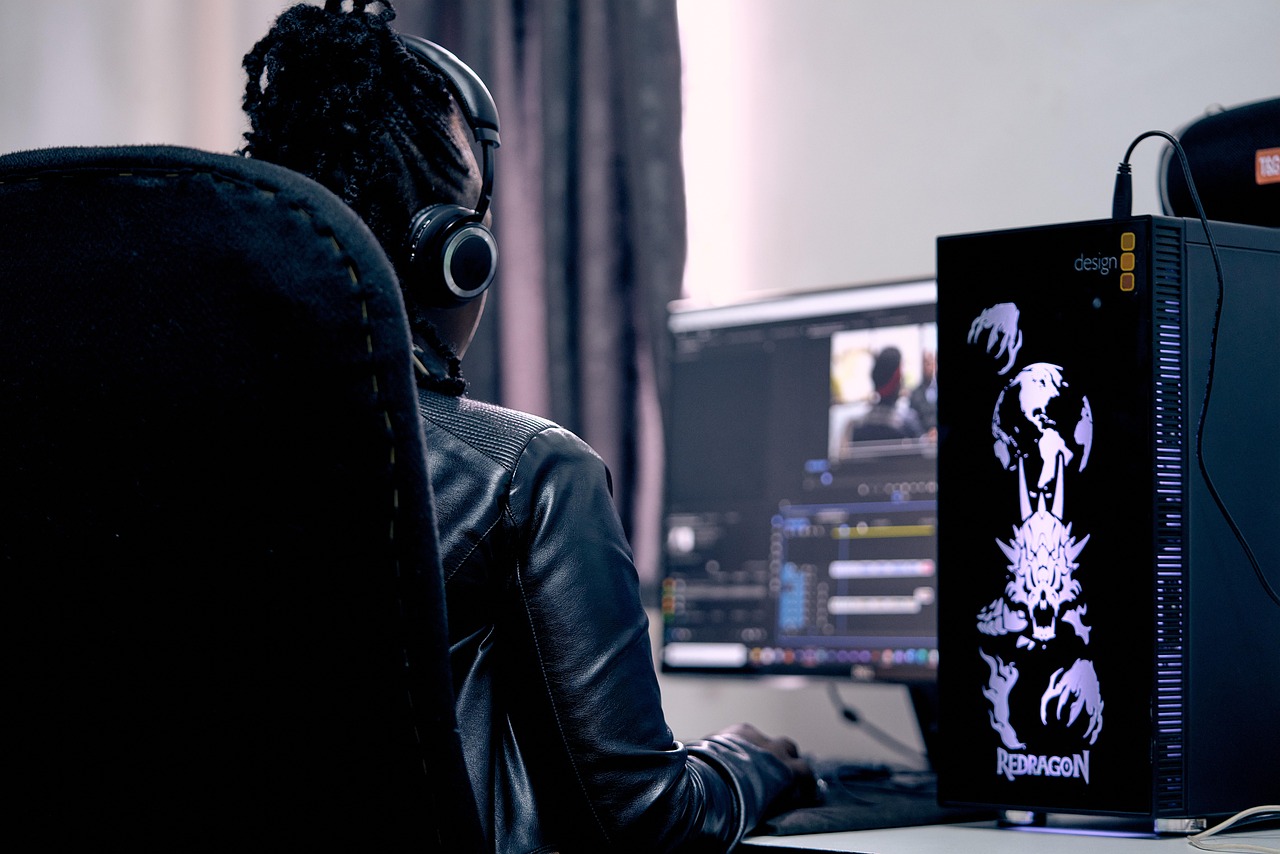
I still remember my first video editing project like it was yesterday – I spent 20 hours working on a 5-minute short film, and it was a disaster. But that’s when I realized the importance of learning video editing skills. Fast forward to today, I’ve edited countless videos, and I’m excited to share my knowledge with you. I’ve worked with various editing software, from Adobe Premiere Pro to Final Cut Pro, and I’ve learned what works best for different types of projects.
Getting Started with Video Editing
When I first started editing videos, I was overwhelmed by the numerous options available. I had to choose between different software, hardware, and techniques, and it was difficult to know where to begin. But after some trial and error, I learned that the key to getting started is to keep it simple. I began with basic editing software like iMovie and DaVinci Resolve, and I practiced editing short clips before moving on to more complex projects.
One of the most important things I learned is the importance of having a good computer setup. I invested in a powerful laptop with a dedicated graphics card, and it made a huge difference in my editing experience. I was able to render videos faster, and I had more flexibility when working with different file formats. I also learned to always backup my files, and I use external hard drives to store my projects.
Choosing the Right Editing Software
There are many video editing software options available, and choosing the right one can be daunting. I’ve tried several different programs, including Adobe Premiere Pro, Final Cut Pro, and Avid Media Composer. Each software has its strengths and weaknesses, and the best one for you will depend on your specific needs and preferences. For example, if you’re working on a Windows computer, Adobe Premiere Pro might be a good choice, while Mac users might prefer Final Cut Pro.
I’ve found that Adobe Premiere Pro is one of the most versatile editing software options. It’s compatible with both Windows and Mac, and it has a wide range of features and plugins available. I’ve used it to edit everything from short films to corporate videos, and it’s always delivered professional results. I’ve also experimented with DaVinci Resolve, which is a free editing software that’s surprisingly powerful.
Understanding Video Editing Basics
Once you’ve chosen your editing software, it’s time to learn the basics. I started by learning about different editing techniques, such as cutting, trimming, and arranging clips. I practiced using transitions and effects, and I learned how to add music and sound effects to my videos. I also learned about color correction and grading, which can make a huge difference in the overall look and feel of your video.
One of the most important things I learned is the importance of pacing. A well-paced video can keep viewers engaged, while a poorly paced video can be boring and unwatchable. I’ve learned to use a combination of fast and slow cuts to create a sense of tension and release, and I’ve experimented with different editing styles to find what works best for each project. I’ve also learned to pay attention to audio levels, and I use noise reduction tools to clean up background noise.
Advanced Video Editing Techniques
Once you’ve mastered the basics, it’s time to move on to more advanced techniques. I’ve learned about multi-camera editing, which involves syncing multiple camera angles and editing them together. I’ve also learned about advanced color grading, which involves using tools like LUTs and color wheels to create a specific look and feel. I’ve experimented with motion graphics and visual effects, and I’ve used plugins like After Effects to add complex animations to my videos.
One of the most challenging things I’ve learned is how to edit dialogue scenes. It requires a combination of technical skill and creative vision, and it can be difficult to get it right. I’ve learned to use a combination of close-ups and wide shots to create a sense of intimacy and atmosphere, and I’ve experimented with different editing styles to find what works best for each scene. I’ve also learned to pay attention to lip sync, and I use tools like the sync lock to ensure that the audio and video are perfectly in sync.
Color Correction and Grading
Color correction and grading are essential parts of the video editing process. I’ve learned how to use tools like the color wheel and the LUT to create a specific look and feel, and I’ve experimented with different color palettes to find what works best for each project. I’ve also learned about the importance of consistency, and I use tools like the color match to ensure that the color is consistent throughout the video.
One of the most important things I’ve learned is the importance of monitoring. I use a high-quality monitor to check the color and brightness of my video, and I’ve learned to trust my eyes rather than relying on the software. I’ve also learned to use reference images to get a sense of the color and atmosphere I’m aiming for, and I’ve experimented with different workflows to find what works best for each project.
Audio Editing and Sound Design
Audio is just as important as video when it comes to creating a professional-looking edit. I’ve learned how to use tools like the audio mixer and the equalizer to balance the levels and create a sense of atmosphere. I’ve also learned about the importance of sound design, and I’ve experimented with different sound effects and music to find what works best for each project.
One of the most challenging things I’ve learned is how to create a sense of immersion. I’ve learned to use a combination of diegetic and non-diegetic sound to create a sense of depth and atmosphere, and I’ve experimented with different audio editing techniques to find what works best for each scene. I’ve also learned to pay attention to the mix, and I use tools like the limiter to prevent the audio from getting too loud.
Final Cut and Export
Once you’ve finished editing your video, it’s time to export it. I’ve learned how to use different export settings to optimize the video for different platforms, and I’ve experimented with different file formats to find what works best for each project. I’ve also learned about the importance of quality control, and I use tools like the preview window to check the video before exporting it.
One of the most important things I’ve learned is the importance of organization. I’ve learned to use a consistent naming convention and to keep all my files organized in a single folder. I’ve also learned to use a checklist to ensure that I don’t forget anything, and I’ve experimented with different workflows to find what works best for each project.
As I look back on my video editing path, I’m reminded that practice and patience are key. Don’t be discouraged if your first few projects don’t turn out as expected – just keep practicing, and you’ll eventually develop the skills and confidence you need to create professional-looking videos. Remember to always keep learning, and don’t be afraid to try new things and take risks. With dedication and persistence, you can master the art of video editing and take your content to the next level.

Leave a Reply